A human systems engineering project focused on designing a high-performance UAV for rapid, reliable delivery of critical supplies in disaster zones, optimized for turbulent and low-visibility conditions through advanced navigation and payload systems.
Outcomes
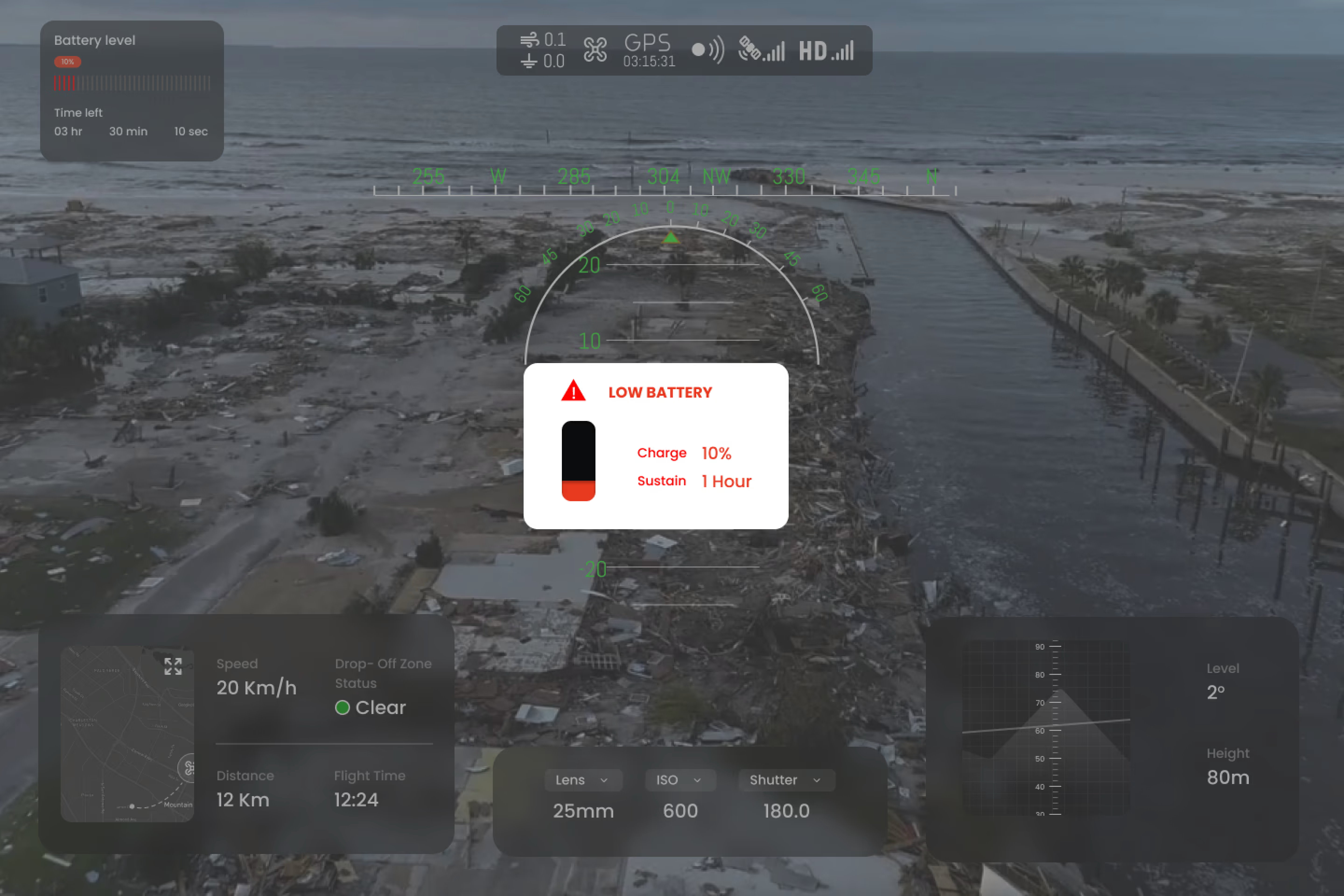
Crisis-Courier-UAV is a high-performance drone system designed to deliver medical supplies, food, and communications equipment into disaster zones inaccessible to ground vehicles. Optimized for turbulent and low-visibility conditions, the system integrates advanced navigation and payload systems with a human-centered ground control interface.
This project applied human systems engineering principles to balance automation with operator judgment — ensuring the interface actively reduces cognitive load during high-pressure disaster response scenarios.
System context — disaster zone delivery scenario
Automation excels at:
Human operators excel at:
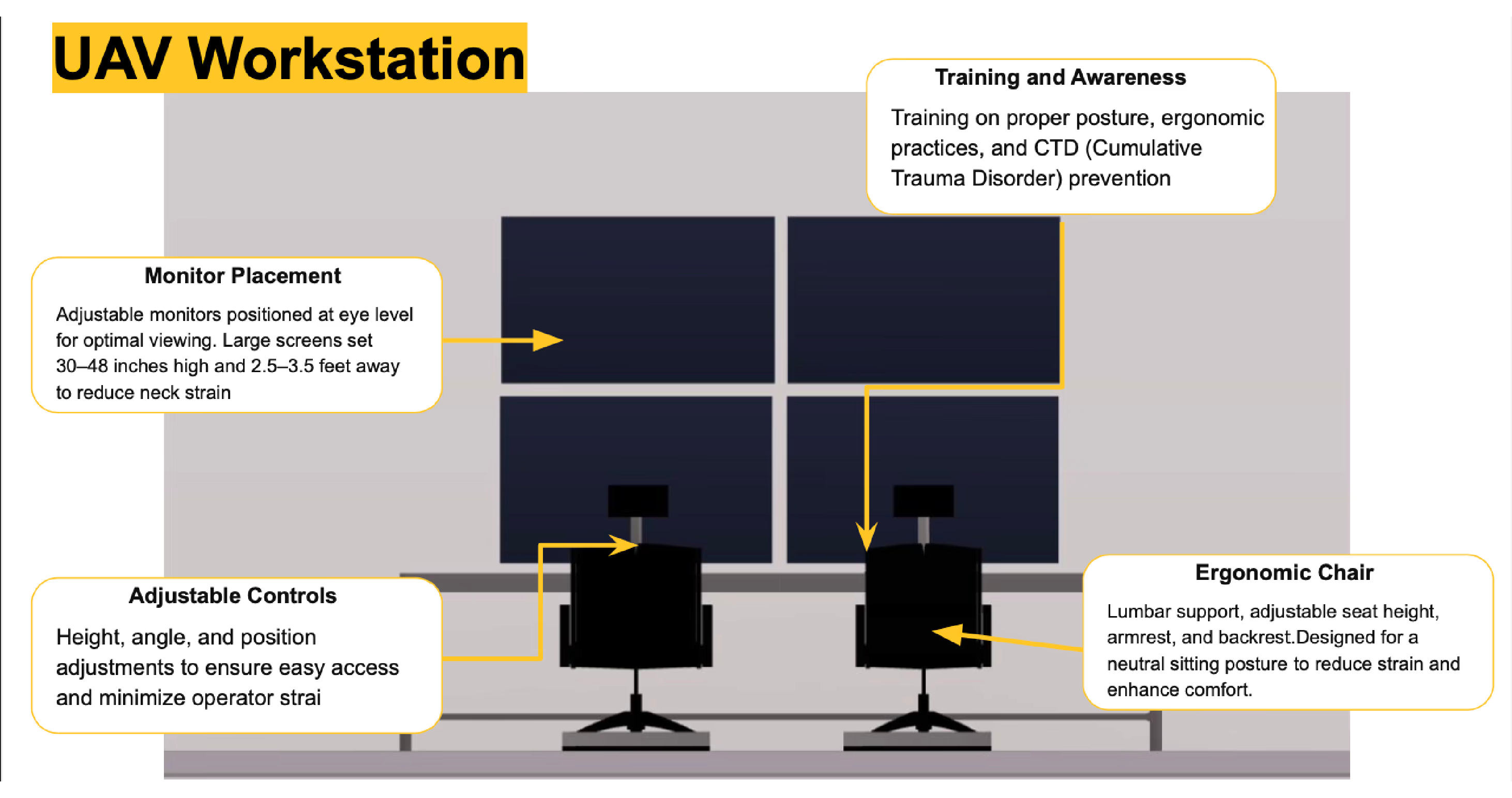
Function allocation — human vs. automation
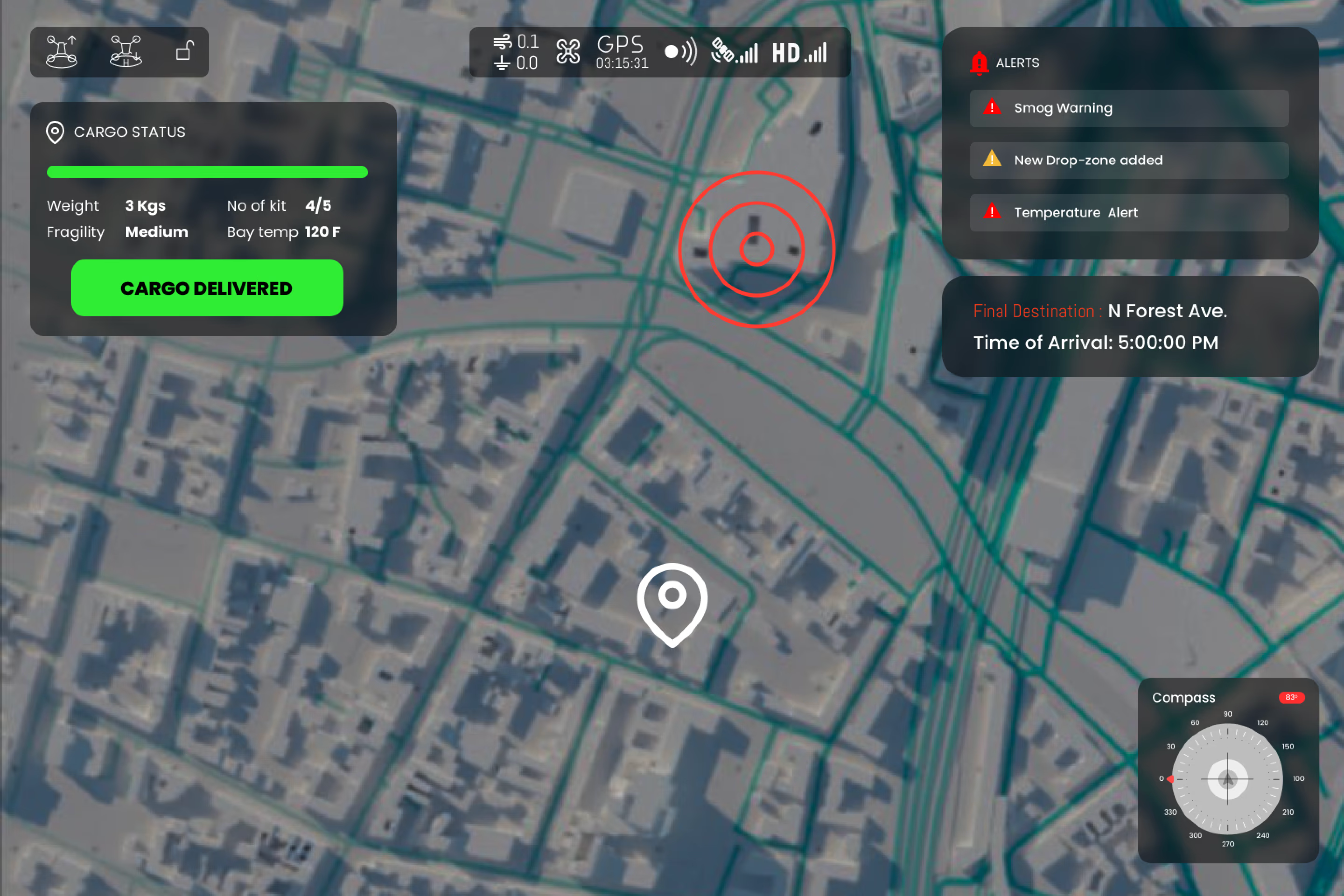
To visually confirm that the package has been successfully dispatched from the UAV. A green checkmark icon appears on the display, accompanied by a confirmation message stating “Package Dispatched” along with a timestamp. Yellow colour displays cargo delivery in process.
Cargo status display — dispatched confirmation
Collision Warning
Notifies when the UAV is at imminent risk of colliding with the ground or an obstacle. A distinct, abrupt sound conveys urgency — adhering to key principles of attention, perception, and memory to enhance safety during operations.
Low Battery Warning
Provides regular updates on the UAV's battery level. A recurring low-frequency tone accompanied by a verbal announcement of battery percentage (e.g., “Battery at 30%”). Design follows key principles of attention and perception.
All operator displays have mechanisms to increase situational awareness through integrated chat functionality, enabling operators to communicate in real-time during missions.
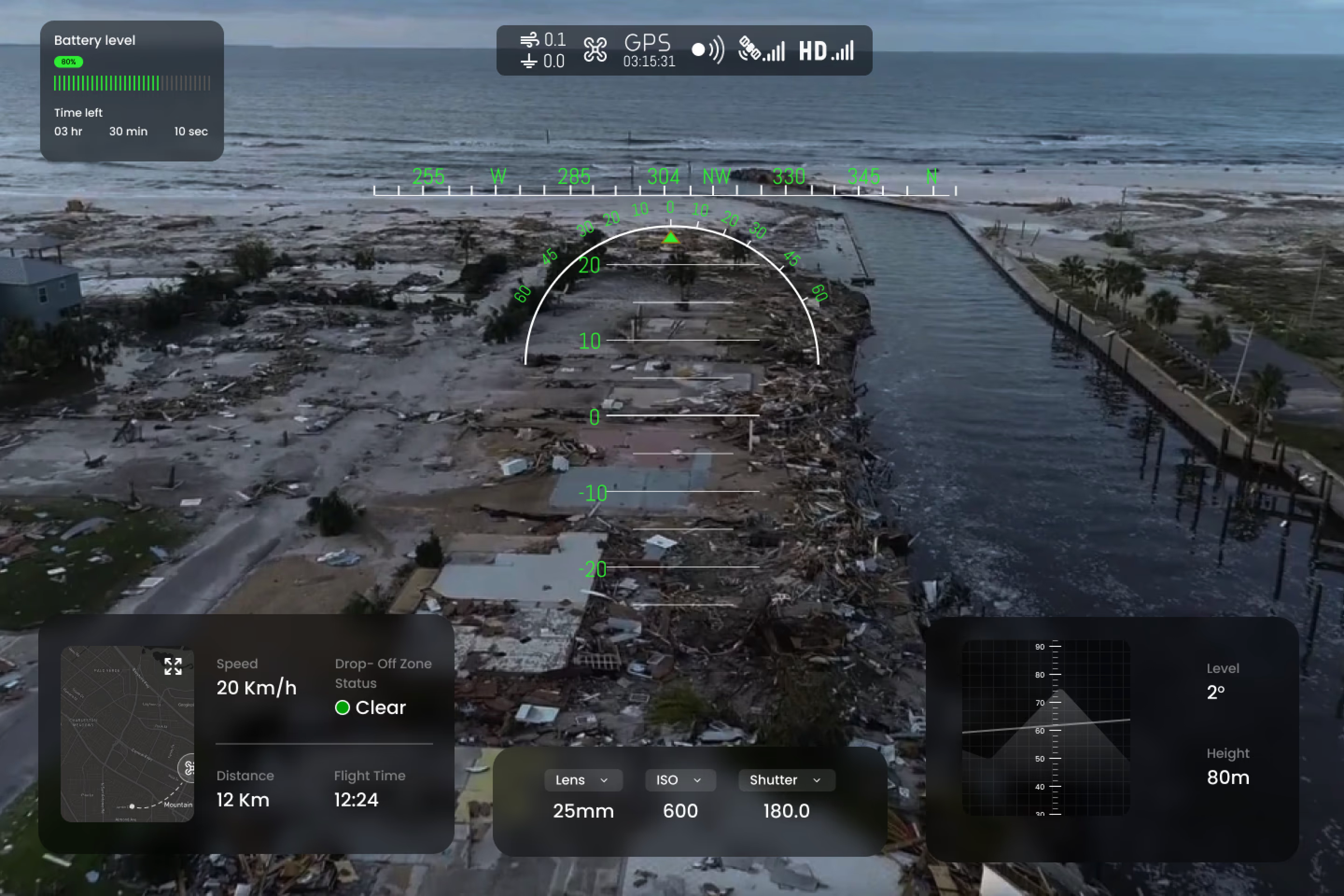
Pilot view
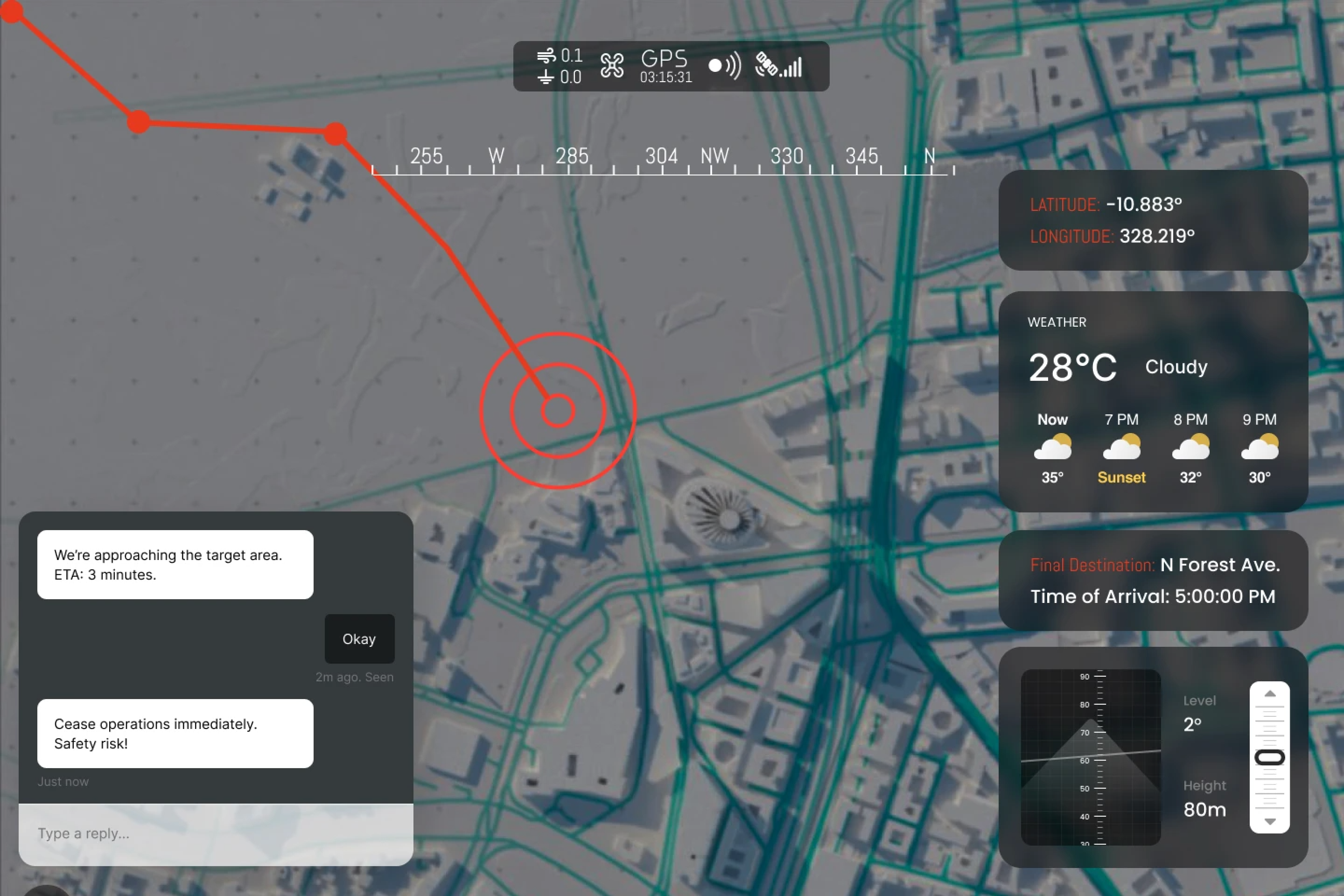
Navigator view
Designed to efficiently deliver critical supplies to disaster-affected regions. A concise, attention-grabbing tone followed by a robotic voice stating “Package dispatched from UAV” provides clear auditory feedback.
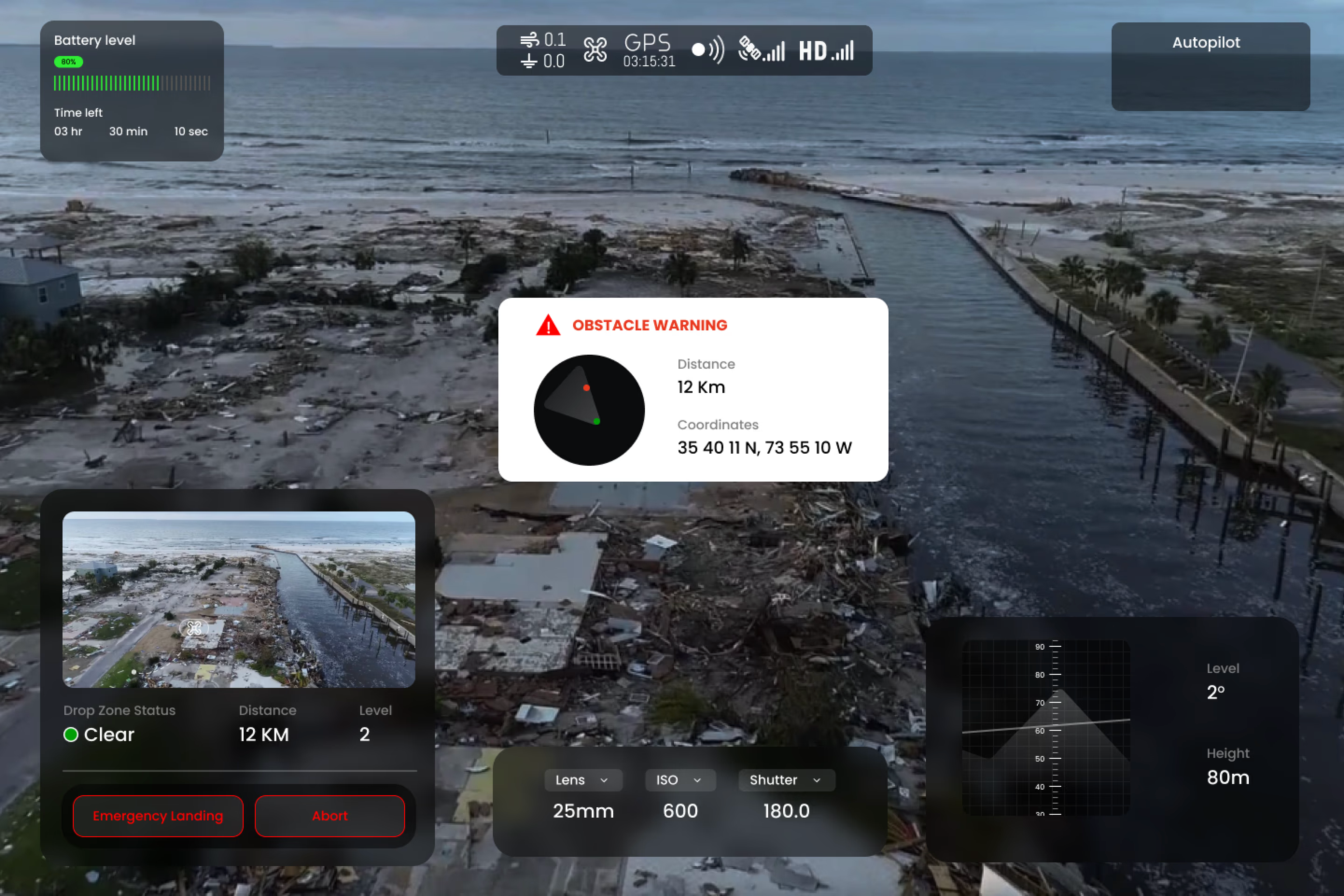
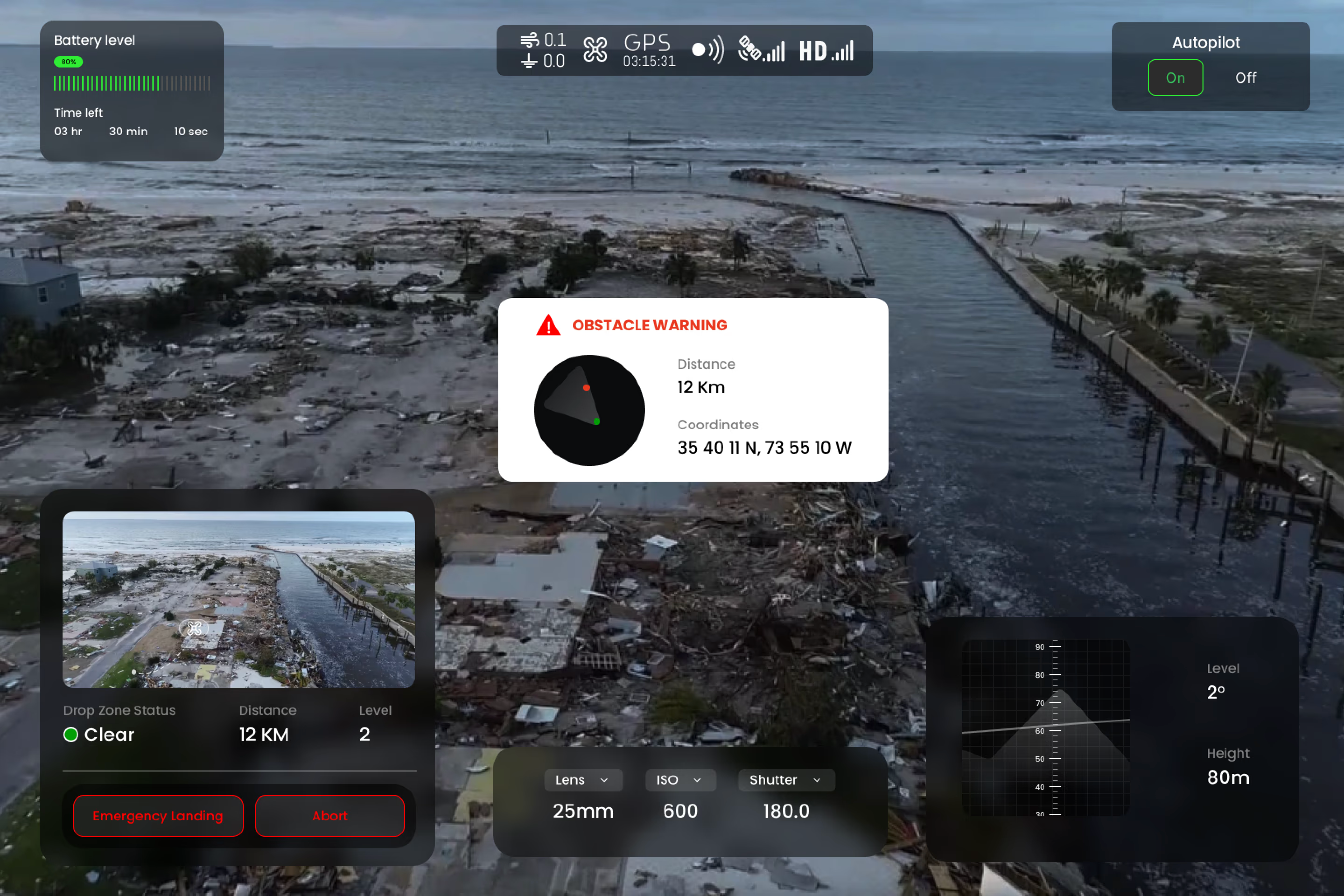
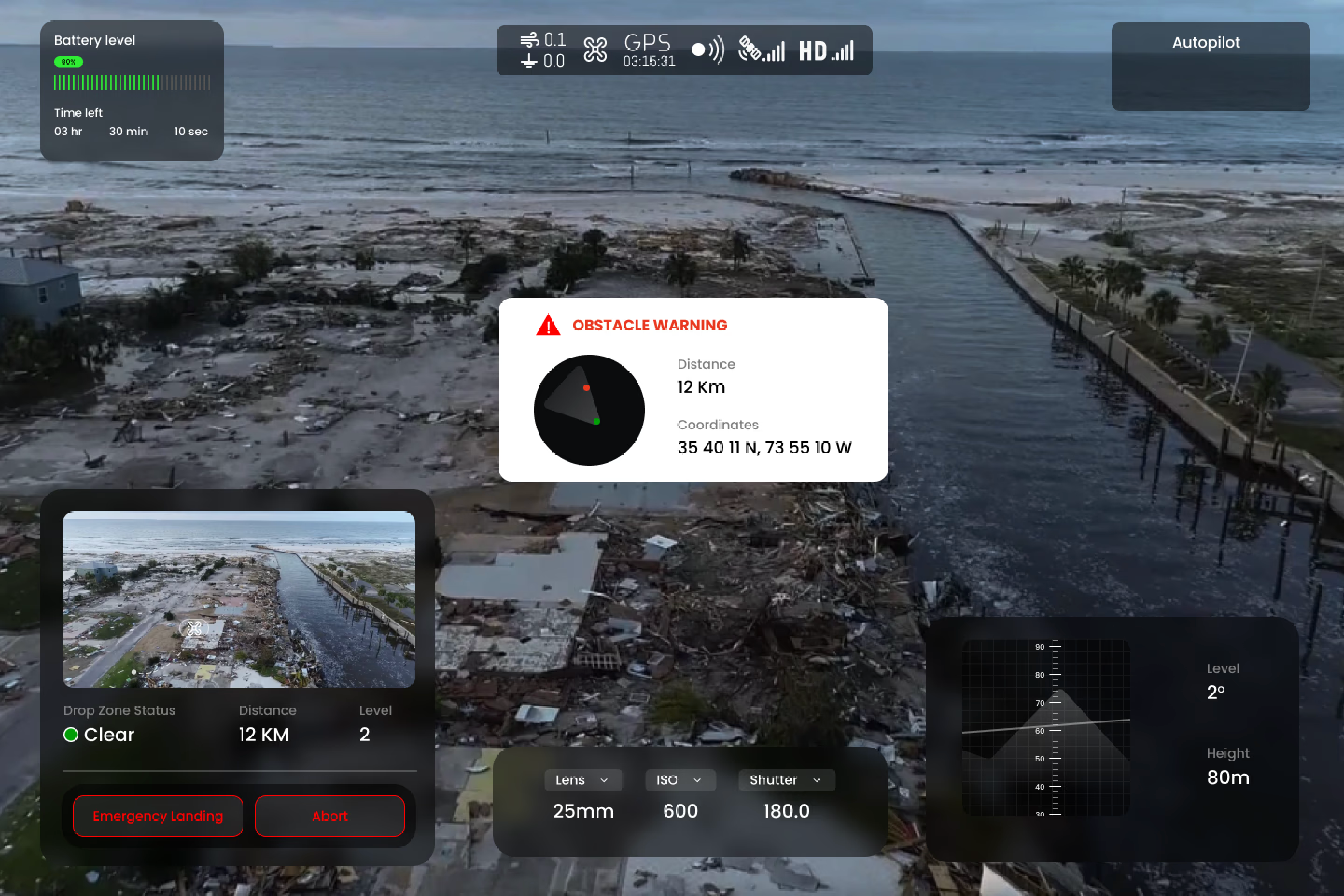
Notifies the operator when the autopilot system is activated or deactivated. A blinking red indicator light signals the change, supplemented by a dynamic label — AUTOPILOT ON (green) and AUTOPILOT OFF (red).
Autopilot status indicator
The complete workstation interface brings together all operator displays — pilot view, navigator view, cargo status, and alert systems — into a unified ground control station optimized for disaster response operations.

Complete UAV ground control workstation
Mission planning interface
Simulation testing against a baseline interface showed substantial improvements across all measured dimensions. The 52% reduction in NASA-TLX cognitive load score was the primary target metric.
"With our new visual identity and design language, the updated UAV Crisis Courier brand powerfully reflects the urgency, precision, and compassion that define both our mission and stakeholders — from frontline responders and healthcare providers to the communities. It captures the essence of our current and future impact, your dedicated team, and the values that drive us to deliver when it matters most."
— Jamie Gorman, Foundation Human System Engineering, Professor, Arizona State UniversityDesigning for disaster-zone operators means the stakes of a bad UI are not just frustration — they're operational failure when it matters most. But this was also a semester sprint. The constraint was real: design something that a first responder could pick up under cognitive load, in a simulation environment, with zero training. Not ideal conditions. Not unlimited time. Just the constraint, and the work.
The NASA-TLX cognitive load score was my quality target — 52% reduction wasn't arbitrary, it was the benchmark between a usable tool and a liability in the field. To protect that target, scope was locked: single-drone delivery management, emergency escalation, and clear status communication. Multi-drone coordination and advanced route optimisation were documented as V2 and dropped.
"In disaster-zone design, the most important feature is the one you didn't add — the thing that would have cost an operator a second when seconds count."
Conclusion
The redesign effectively resolved key usability challenges, resulting in a faster, more intuitive experience for emergency responders.
The enhanced UX/UI not only improved operational efficiency but also boosted adoption and trust among field users — highlighting the life-saving impact of thoughtful, human-centered design in critical delivery systems.
Glad we could cross paths.
Out of anywhere you could be, you're here.