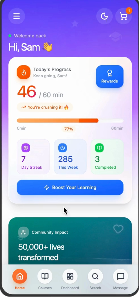
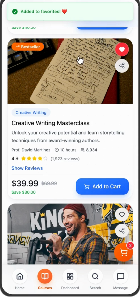
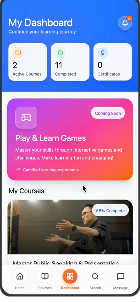
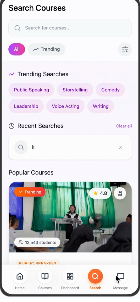
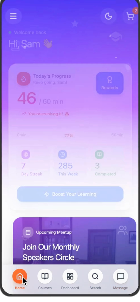
In a world where communication happens faster than our thoughts, finding the confidence to express ourselves has quietly become one of the biggest modern challenges. TheConfidento exists to change that.
Outcomes
I appreciate you taking the time to review this case study. I chose this example because it demonstrates my ability to create creative and elegant solutions to technical problems, my ability to design beyond the typical screen, and my ability to effectively collaborate with both internal and external partners.
The goal was to create a centralized system where users could learn, practice, track progress, and build confidence through small, repeatable actions. Instead of overwhelming learners with long modules, TheConfidento focuses on bite-sized progression, progress visibility, and autonomous exploration.
The project was structured across two parallel tracks — UX Design and UI Design — with research, synthesis, and visual execution happening in sequence. Discovery ran through the first month; visual design and prototyping carried the second.
UX & UI Design phases — week by week
Many people struggle to express themselves confidently despite having valuable thoughts and ideas. TheConfidento seeks to solve this by helping users build public speaking abilities and social confidence through structured learning, practice tracking, and motivation tools.
Existing tools often focus on "courses" but not motivation systems. They lack a clear learning structure, overwhelm users with long modules, and fail to communicate safety, privacy, or trust.
Opportunity
A seamless, modular, progress-driven communication learning app that feels safe, enjoyable, and achievable.
To understand how people actually feel about speaking up, I ran a survey across students and working professionals. The goal: learn how confident they feel speaking in front of others, how often they avoid it, whether they're actively trying to improve, and what motivates them to keep practicing.
Survey insights across 71 respondents — profession, speaking habits, motivation drivers
After analysing the survey, we divided target users into 3 primary categories: Working Professionals, College Students, and School-going Students. For each category, we had conversations with multiple individuals and collectively built user personas.
Primary persona — Rohan Malhotra, College Student
We audited ELSA, Grammerly, Talk Life, Orator, and Presentation Coach across 7 key feature dimensions. The gap was clear: no single tool combined a progress tracker, reward system, dark mode, 24/7 support, tutor customization, and genuinely good UX.
Feature comparison — 5 competitors × 7 dimensions
To move forward in the ideation phase, I created an empathy map of what our user says, thinks, does, and feels. This gave us a solid foundation and helped shape the solution to the problems they face.
Empathy map — Says, Thinks, Does, Feels
The entire experience was mapped into 6 core areas: Home (Progress + Recommendations), Courses (Structure, Lessons, AI feedback roadmap), Trackers (Daily learning + consistency streaks), Practice (Playback, prompts, reflection — future phase), Search & Explore, and Profile / Settings.
Full product information architecture
The survey data made one thing very clear: people are motivated — but easily distracted, with scattered productivity peaks and difficulty maintaining habits. This directly shaped the navigation strategy for TheConfidento.
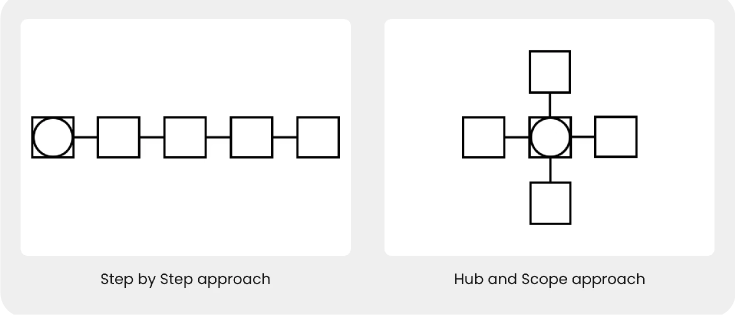
Two navigation models — one for each user state
Step-by-Step · New Users
Hub-and-Spoke · Returning Users
Step-by-Step lowered the barrier to entry. Hub-and-Spoke sustained engagement over time.
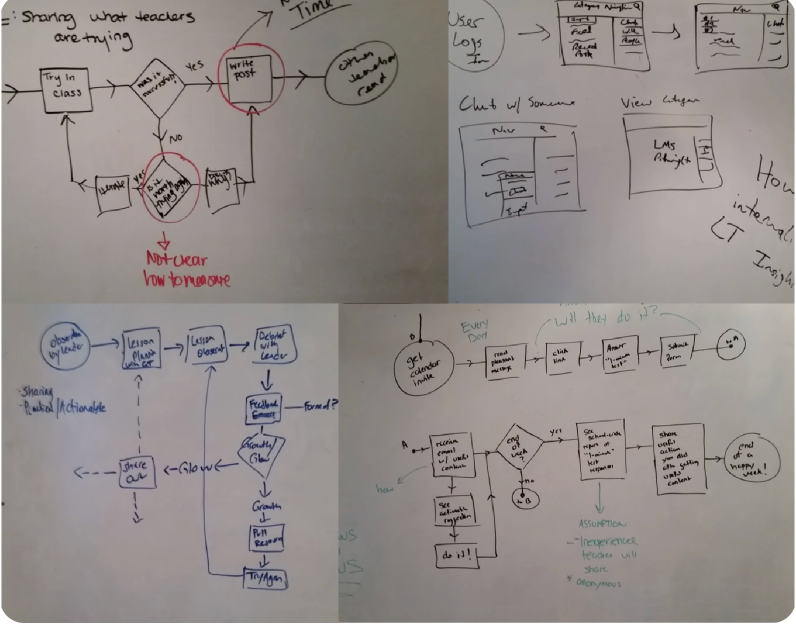
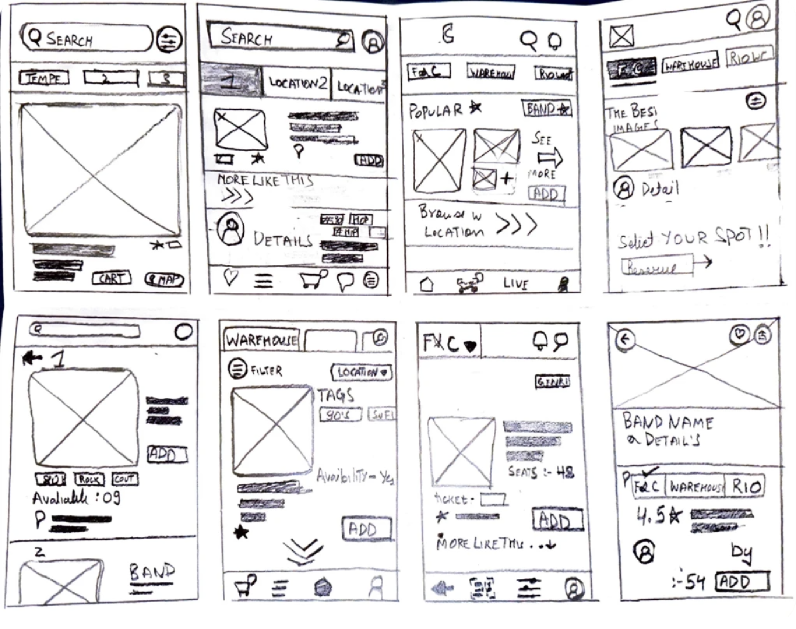
Early explorations happened simultaneously on Zoom whiteboards and paper. These sessions evolved the direction from a linear onboarding model into the hub-and-spoke structure, and surfaced early ideas for card layouts, progress meters, streak motivators, and trust-building banners.
Zoom whiteboard — collaborative exploration sessions
Paper sketches — card layouts, modular lessons, streak motivators
Once ideation was complete, we moved into low-fidelity wireframes to give the application its initial structure. These were used for early testing and feedback before any visual design was applied.
Onboarding & Trial — user flow wireframes
Courses catalog + 24×7 chat support interface
Course selection & checkout payment flow
After completing low-fidelity wireframes, we organised feedback sessions with multiple users and noted the problems they faced navigating the prototype. We curated all feedback and rectified the issues that would reduce pain points and improve flow.
Before → After: Tracker screen — improved hierarchy and readability
| User Feedback | Design Rectification |
|---|---|
| "The learning dashboard feels a bit overwhelming for new users, especially those who struggle with confidence. With so many options visible at once, users weren't always sure where to start or what to do next." | Redesigned the dashboard into a more structured, modular layout — giving users a clear next step through progress indicators and simplified task cards. Hierarchy was improved to guide attention naturally toward the most important action. |
The aesthetics of TheConfidento were designed to make users feel supported and motivated as they build confidence. A vibrant gradient of purples, blues, and pinks creates an uplifting, modern atmosphere that reduces anxiety and encourages exploration. A clean, rounded sans-serif adds warmth and readability across light and dark modes.
Together, these visual choices create a friendly, inspiring environment that helps users feel safe and empowered throughout their learning journey.
After completing all previous steps, it was time to give life to the wireframes by adding color, typography, and components using Material You guidelines. The result: a product that feels safe, enjoyable, and genuinely motivating to use.
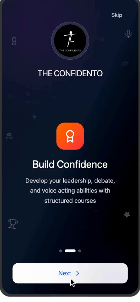
Onboarding
Dashboard
Course Detail
My Dashboard
Search
Dark Mode
As I designed TheConfidento, I wanted every interaction to feel as safe as the conversations it inspires. Beyond aesthetics, I focused on creating an experience that made users feel secure, respected, and in control — especially around sensitive data like voice recordings, personal goals, and payment information.
The design system was built from scratch in Figma with auto-layout. Every component was designed to be extended, reskinned, or reused across new screens without breaking consistency — giving the product a foundation to grow on.
Next steps for the product:
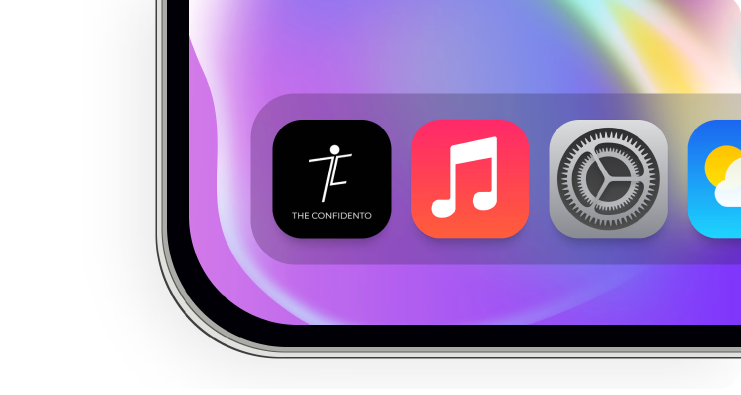
App icon — on device
This was a quick glimpse of what I did while leading design for this project. Reach out to know more about scaling the feature, design system, use cases, and testing insights.
Conclusion
TheConfidento taught me that confidence isn't built in one session — it's earned through small wins, clear progress, and a product that feels genuinely safe to use.
In 6 weeks, we went from a blank canvas to a communication learning platform that users actually want to return to. The real win was designing for emotion, not just for tasks.
Glad we could cross paths.
Out of anywhere you could be, you're here.